In 2026, Emirates ID tracking is largely digital, and you can usually check progress in minutes if you have the right reference number. This guide shows the official ways to track your Emirates ID status online, what each status message means, and what to do if your card is delayed.
What is Emirates ID Tracking?
Emirates ID tracking means checking the real-time progress of your Emirates ID application or renewal. Tracking helps you confirm whether your application is:
- Received and under verification
- Printed
- Dispatched to Emirates Post
- Ready for collection
Most residents track Emirates ID for practical deadlines like visa stamping, medical insurance activation, and employer onboarding.
How to Track Emirates ID Status Online (Step-by-Step)
The most reliable method is through the UAE’s official ICP (Identity, Citizenship, Customs and Port Security) channels.
Step 1 – Visit the ICP Official Website
Go to the official ICP website and open the service that allows application status tracking.
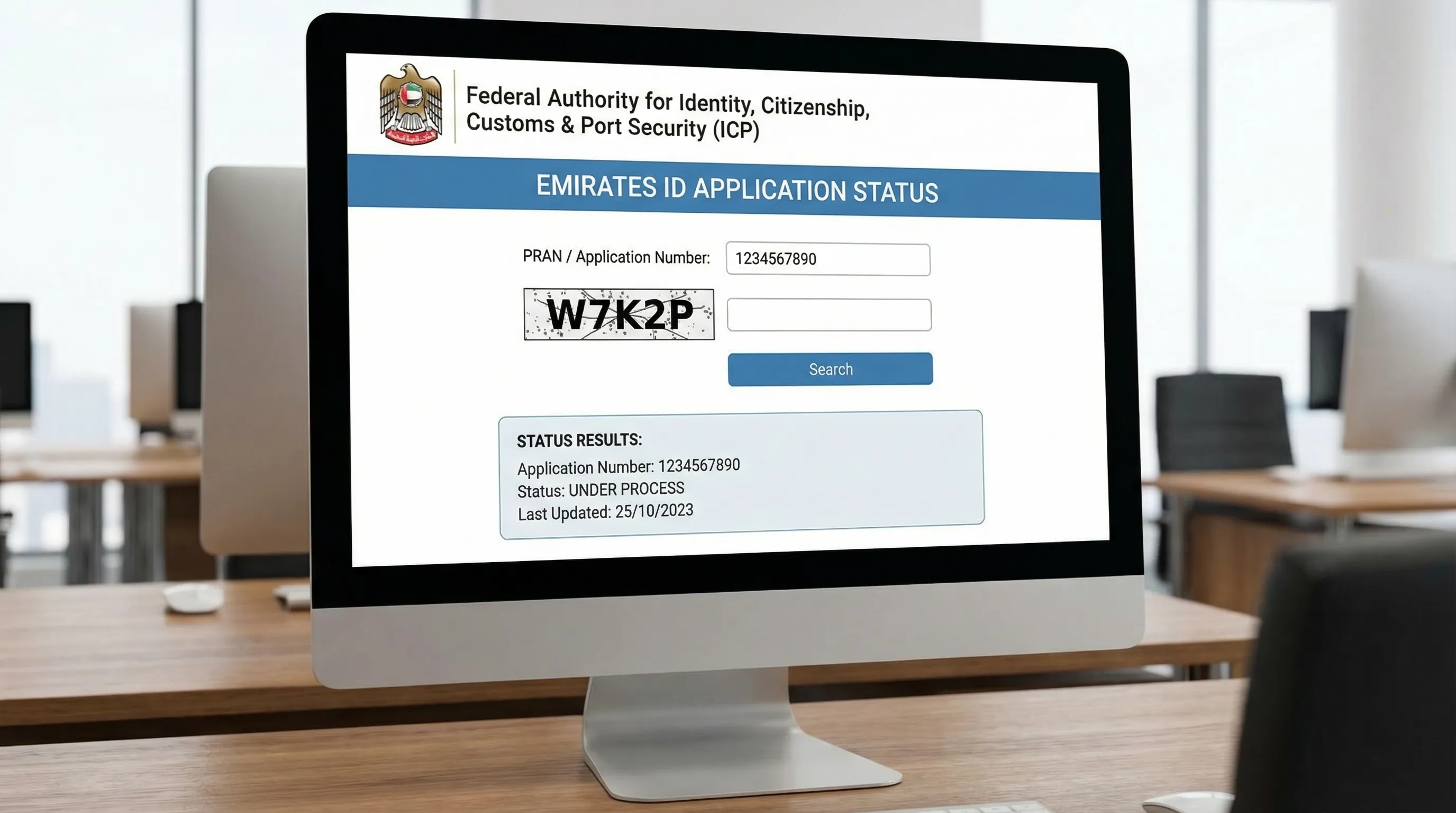
You will typically see a status-check form asking for an application reference such as PRAN (or an application number).
Step 2 – Enter PRAN or Application Number
Enter the PRAN (or the application number shown on your submission receipt). Double-check digits, as one incorrect number often returns “no record found”.
Where to find PRAN
You can usually find PRAN on:
- The ICP application submission receipt (from a typing centre or online submission)
- Your application confirmation email (if you applied digitally)
- The document issued at the time of biometrics registration, if applicable
If you applied via a typing centre, ask them for the receipt copy. PRAN is commonly printed near the top alongside your application details.
Step 3 – Check Real-Time Status
After submitting the PRAN/application number, the page will display your current status.
Screenshot-style explanation (what you should see)
On most tracking pages, results appear like a simple panel:
- Your reference number
- A short status label (for example, Under Process, Printed)
- Sometimes a date/time stamp or last update
If the system shows a dispatch stage, your next step may be Emirates Post tracking (covered below).
How to Track Emirates ID Using PRAN Number
PRAN is one of the most practical tracking references because it stays consistent through processing.
To track using PRAN:
- Use the official ICP tracking page
- Enter PRAN exactly as shown (no extra spaces)
- If you get “no data”, try again later (some systems update in batches), and confirm the PRAN was entered correctly
If you still cannot find your PRAN, check with your employer’s PRO, your typing centre, or the channel you used to submit.
Emirates ID Status Messages & What They Mean
This section is designed for quick scanning (and is useful if you are seeing a short message without explanation).
| Status Message | Meaning |
|---|---|
| Application Received | ICP has received your request |
| Under Process | Verification in progress |
| Printed | Card is printed |
| Dispatched | Sent to Emirates Post |
| Ready for Collection | Available at post office |
If you are at Printed or Dispatched, you are usually close to completion, but collection timing depends on courier handling and post office workflow.
How Long Does Emirates ID Take in 2026?
Processing times vary depending on volume, application type (new, renewal, replacement), biometrics requirements, and whether any verification issues arise.
In general, expect:
- Faster timelines when biometrics are already on record and documentation is clean
- Longer timelines when biometrics are required, details must be corrected, or high-traffic periods create backlogs
If your status does not change for an extended period, follow the troubleshooting steps in the “Not Received” and “Common Problems” sections.
Emirates ID Tracking via SMS
In many cases, residents receive SMS updates on the mobile number registered in the application, especially when:
- The card is printed
- The card is dispatched
- A collection notice is issued
Tips to avoid missing SMS updates:
- Ensure the application includes your correct UAE mobile number
- Check spam or blocked-message settings
- If your employer/PRO used their number, ask them to forward status messages
SMS is helpful for alerts, but the ICP portal remains the most reliable source for exact status.
Tracking Emirates ID Through Emirates Post
Once the status shows Dispatched, delivery and collection are usually handled by Emirates Post.
To track the shipment, use the official Emirates Post tracking tools. You may need a tracking or shipment number provided in dispatch notifications.
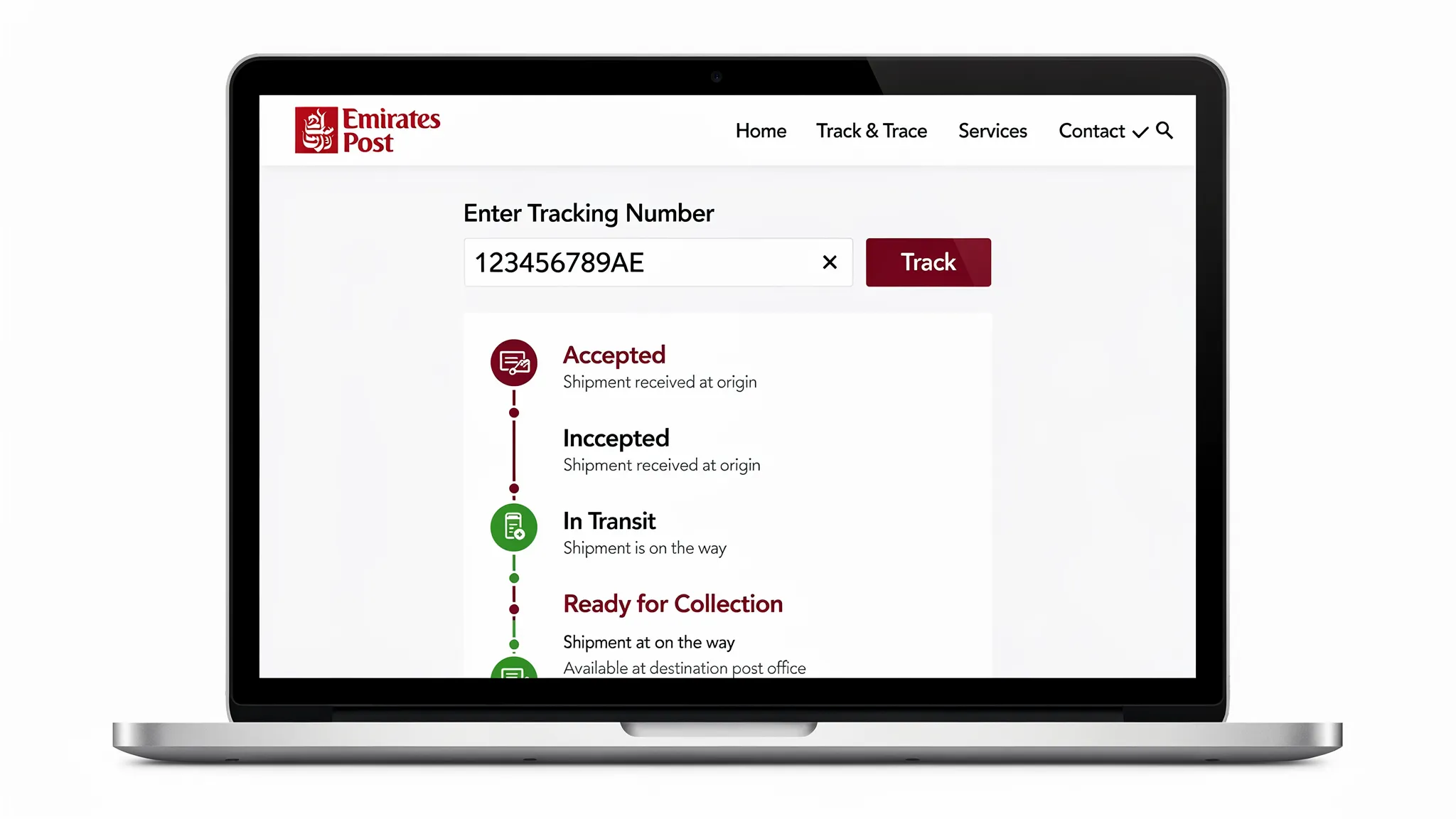
If you are not sure which post office holds your card, the Emirates Post tracking events often indicate the destination branch.
Emirates ID Not Received? What to Do
If you believe your Emirates ID is delayed, act based on the stage.
If the ICP status is still “Under Process”
This often indicates ongoing verification. Confirm:
- Your details match your passport and visa file
- No missing documents were requested
If the status is “Dispatched” but you have no delivery update
- Check Emirates Post tracking
- Confirm your contact number and delivery address used in the application
- If it shows “Ready for Collection”, visit the listed post office with valid identification
If it shows “Ready for Collection” for a long time
Your card may be held at the post office pending pickup. Delays can happen if notifications were missed or contact details were incorrect.
Common Problems While Tracking Emirates ID
Tracking issues are usually simple reference or data problems.
Wrong PRAN or application number
One digit off often returns no record. Re-check the receipt.
Status not updating
Some statuses update in batches. If there is no change, check again after a few hours or the next day.
Name/date-of-birth mismatch across documents
If your visa file and application file do not match exactly, verification may slow.
Employer or typing centre submitted under different contact details
If a PRO submitted on your behalf, they may receive the primary SMS or email updates.
Emirates ID Renewal Tracking
Renewal tracking works the same way as new applications:
- Track through ICP using PRAN/application reference
- Watch for “Printed” and “Dispatched” stages
- Use Emirates Post once dispatch occurs
If you renewed alongside visa renewal, timelines can align with visa processing, medical fitness steps, and biometrics, depending on your case.